DocJuris Help Center home page
Back to DocJuris App About DocJuris Request Demo Submit a request

Search

  1. DocJuris
  2. QuickStart Tools
  3. FAQs

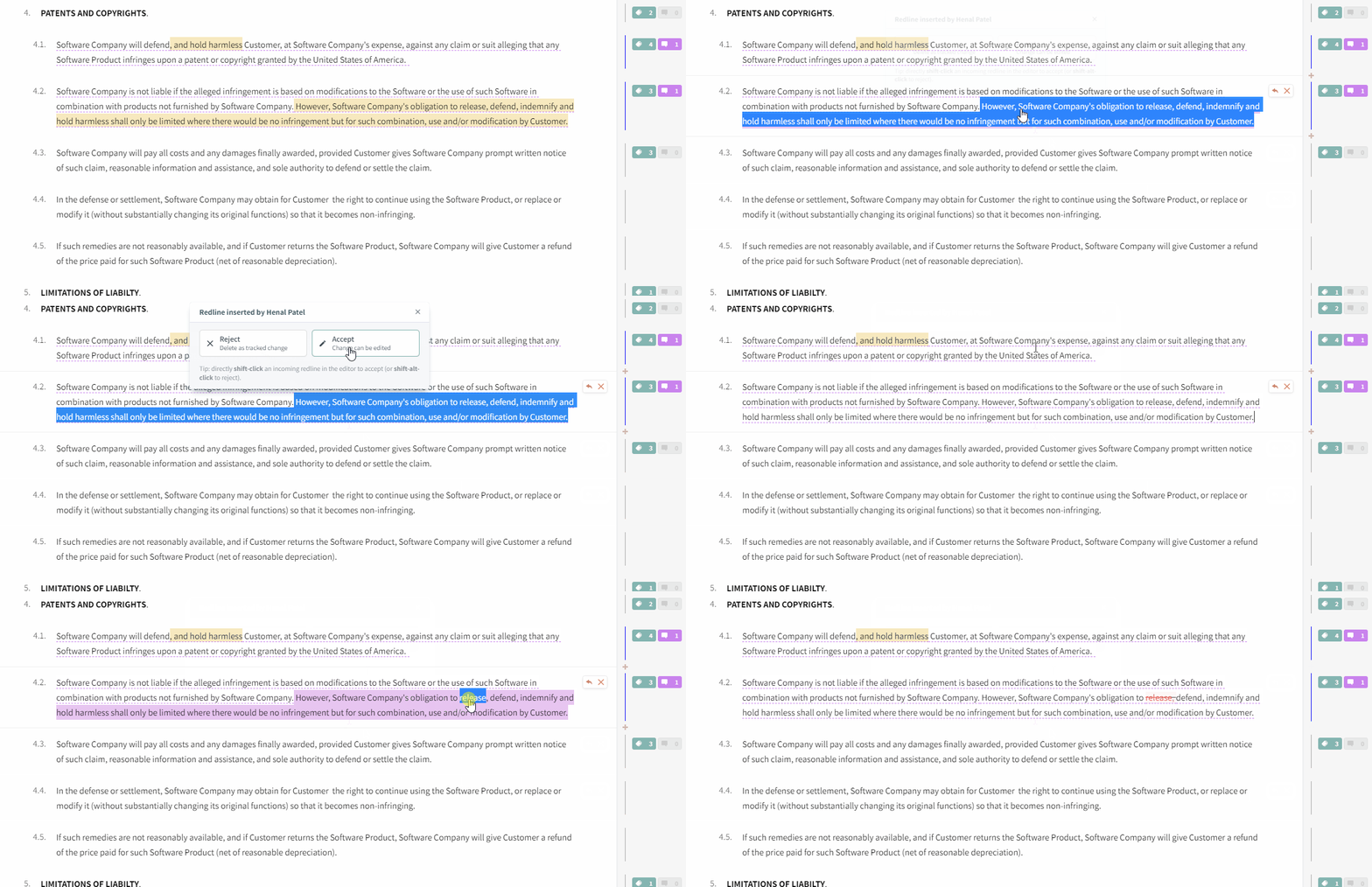
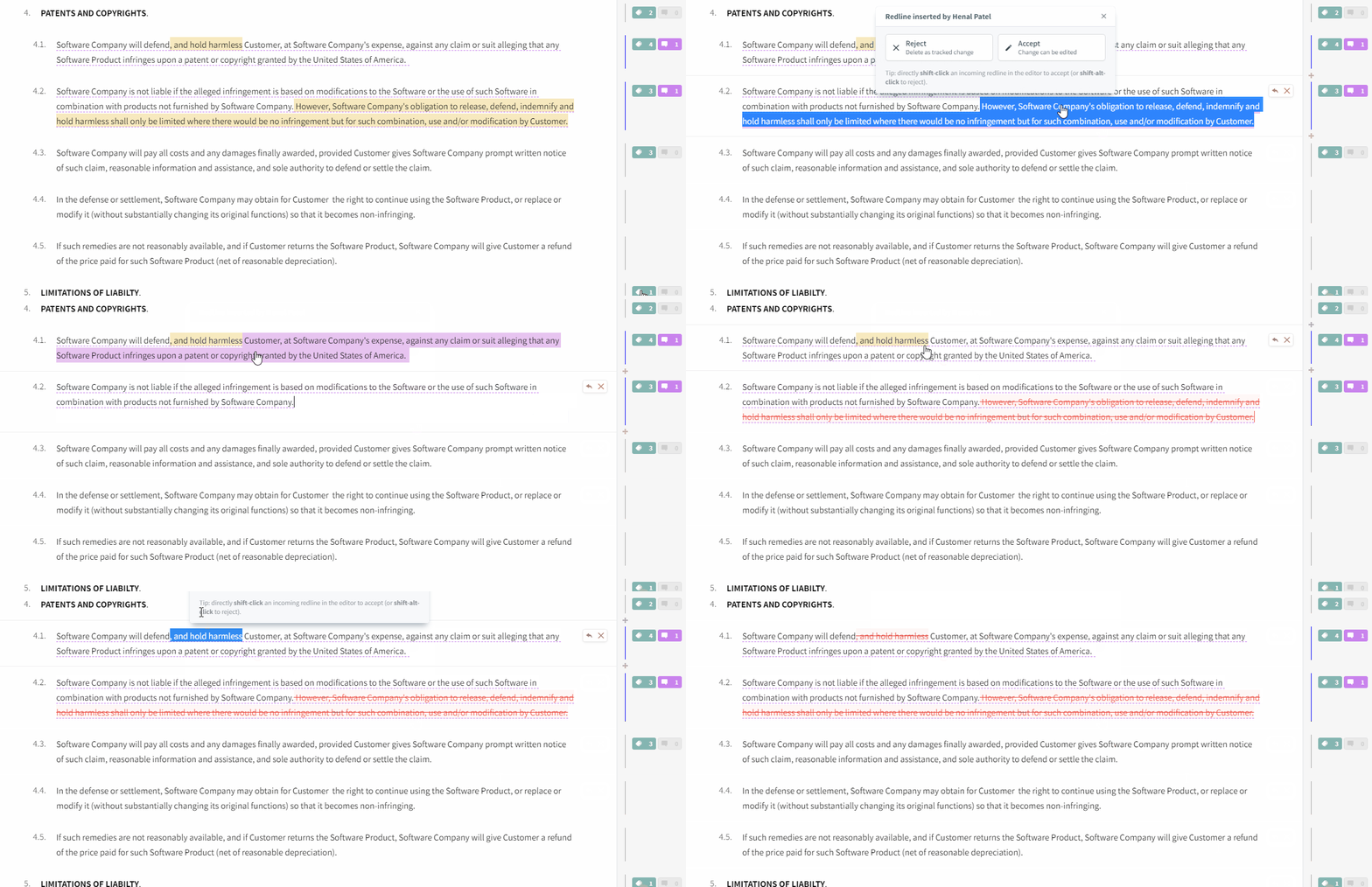
How do I accept or reject an incoming redline?

Rejecting by click/right clicking

f23d4450-399a-4fc1-b0ca-e3483c8eb194.gif

Accept a change to edit it

d0ebf7ef-6cec-4441-9ae0-423a3f47ecff.gif

Related articles

  • Comments and Mentions
  • How do I collapse the right editor to focus on my redlines?
  • Accepting and Rejecting Changes
  • Compare Two Contracts From the Dashboard
  • While reviewing Issues in my Playbook, how can I quickly view relevant clauses in my contract?

Articles in this section

  • How do I spell check and fix grammar errors?
  • While reviewing Issues in my Playbook, how can I quickly view relevant clauses in my contract?
  • Best Practices: PDF Uploads
  • Do I need to download any software to my machine?
  • What is the difference between DocJuris and Microsoft Word?
  • Are PDFs converted?
  • I ran into an error after uploading a PDF - how do I fix this?
  • How Do I Add a Contract to My Precedent Library?
  • Are replacements in the contract case-sensitive?
  • How do I re-order the issues?

See all 28 articles

Back to DocJuris Terms Privacy Policy
© 2018 - 2025 DocJuris, Inc. All rights reserved. DocJuris is not a law firm or a substitute for an attorney or law firm. We cannot provide any kind of advice, explanation, opinion, or recommendation about possible legal rights, remedies, defenses, options, selection of forms or strategies.